Tutorial 6 of 7
Import a CSV parts list and add loose parts
Intermediate 8 min
Bring parts from a spreadsheet or another program into Kerfwise, mix them with designed cabinets, and nest everything together.
Not everything is a cabinet. Shelves for an alcove, a worktop for a workbench or a parts list from another program can be added as loose parts and are nested, costed and exported like everything else.
The CSV format
Use File → Import CSV parts list… (or open a .csv with Ctrl+O).
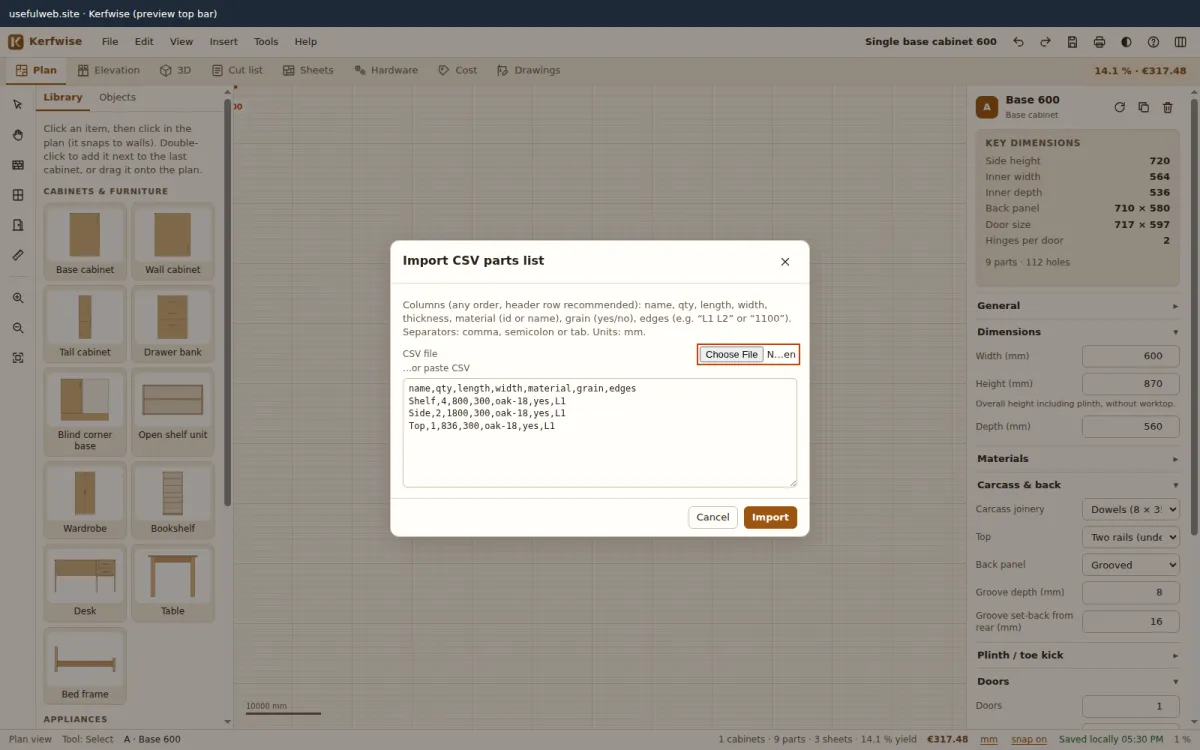
name,qty,length,width,material,grain,edges
Shelf,4,800,300,oak-18,yes,L1
Side,2,1800,300,oak-18,yes,L1
Top,1,836,300,oak-18,yes,L1- Separators: comma, semicolon or tab — detected automatically. Quotes are supported (
"Top, big"). - Columns are found by their header in any order:
name/part,qty/quantity,length/l,width/w,thickness/t,material,grain,edges/banding. - Material can be the id (
oak-18) or the name (Oak veneered MDF 18 mm). If it is missing, Kerfwise picks a sheet material with the same thickness. - Grain:
yes,true,1,Lkeep the length along the sheet length. - Edges:
L1 L2 W1 W2in any combination, a 4-digit mask like1100, orall. - Without a header row the order name, qty, length, width, material is assumed. Units are millimetres.
Lines that cannot be read are skipped and counted in the message.
Edit loose parts
The imported parts appear under the cut list in an editable table: name, quantity, length, width, material, grain and banded edges. Add loose part creates a new one.
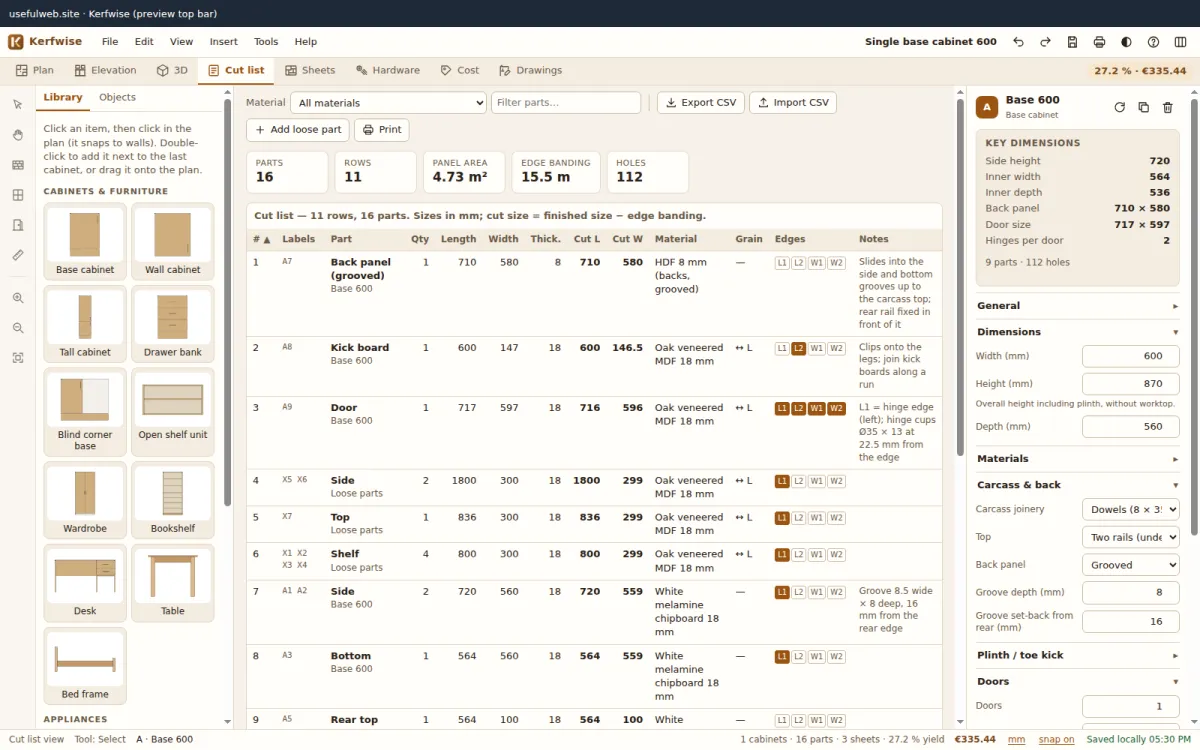
Loose parts get the labels X1, X2 …, are included in the sheet nesting of their material, the banding totals, the cost estimate, the CSV export and the print pack.
Export again
Export CSV in the cut list writes all parts — designed and loose — with finished and cut sizes, material, grain and banding names per edge. Cells that start with =, +, - or @ are prefixed so spreadsheets do not run them as formulas.