Tutorial 5 of 7
Costs, hardware and production drawings
Intermediate 10 min
Turn a design into a quote and a workshop pack — material and banding prices, hardware list, labour minutes, markup and tax, part drawings with drilling and a printable PDF.
Hardware list
Press 6 for Hardware. Kerfwise counts hinges (by door height), slides (by drawer and length), handles, legs, plinth clips, dowels, confirmat screws, cams, pocket screws, shelf pins, hanging rails, bed brackets and more. Unit prices are editable right in the table and saved with the project.
Cost estimate
Press 7 for Cost.
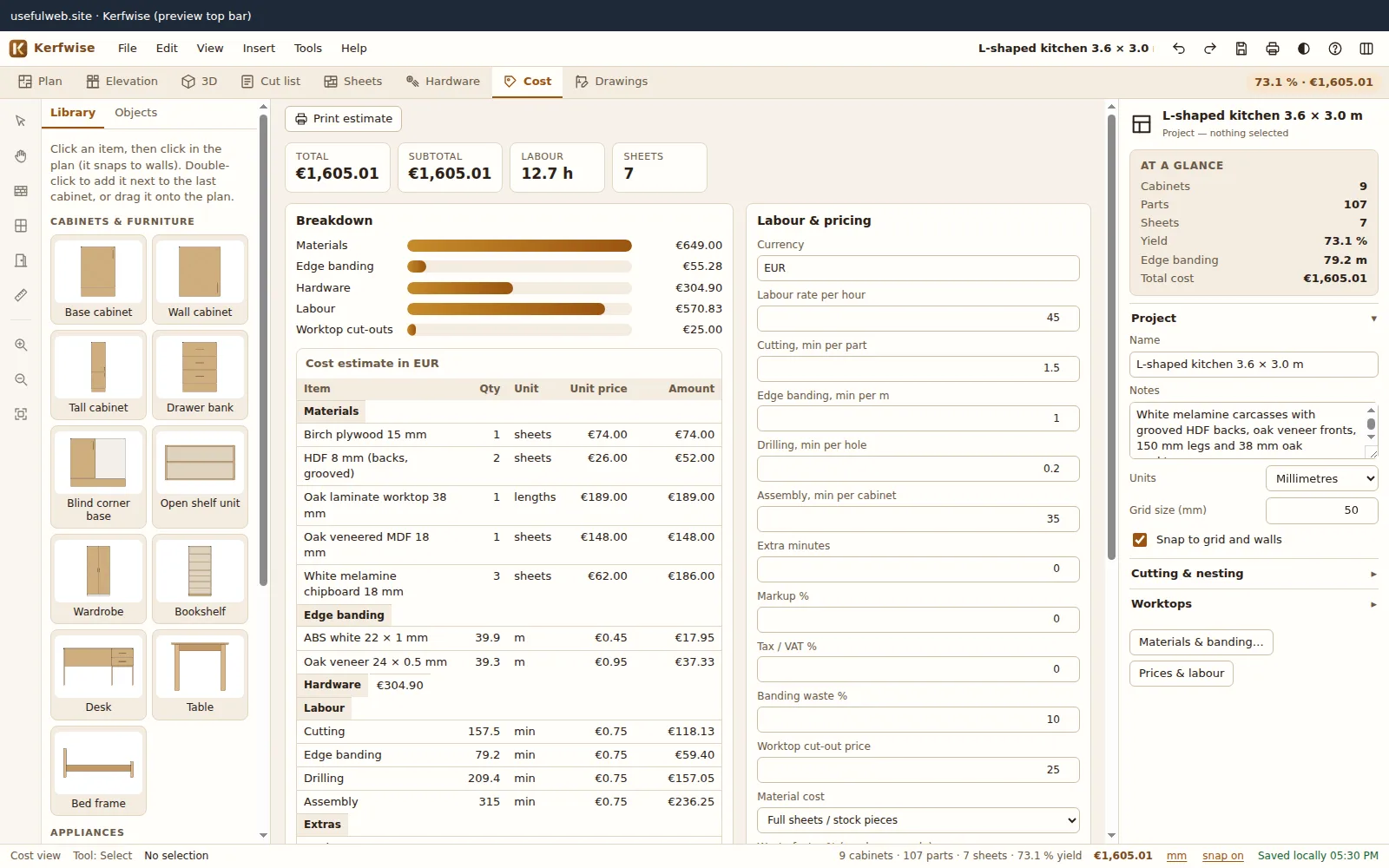
- Materials: either full sheets / stock pieces (what you pay at the timber yard) or used area + waste factor (useful when offcuts go to the next job).
- Edge banding: metres of banded edges + 10 % waste, times the price per metre.
- Labour: minutes per part for cutting, per metre of banding, per drilled hole and per cabinet for assembly, plus extra minutes — all editable, times your hourly rate.
- Worktop cut-outs are priced per cut-out.
- Add markup and tax / VAT to get a quote total.
Change any price under Material and banding prices and the total updates immediately.
Production drawings
Press 8 for Drawings and choose a cabinet. You get front, side and top views with overall dimensions and plinth height, the cabinet’s key dimensions and joints, and one drawing per part:
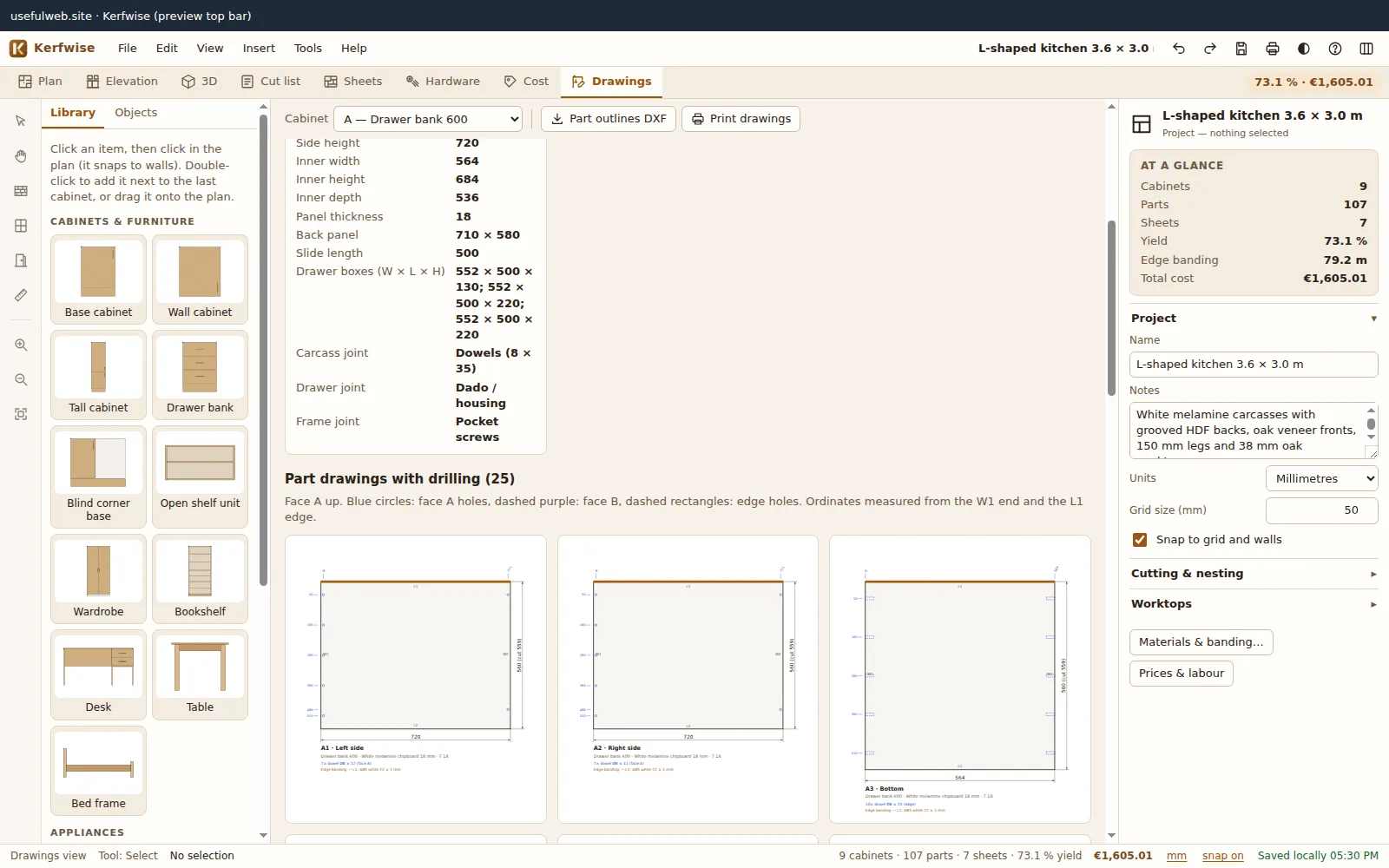
- face A up, edges L1/L2/W1/W2 labelled and banded edges drawn in brass,
- holes as circles (face A solid, face B dashed purple, edge holes as dashed rectangles),
- ordinate dimensions for every hole column and row, measured from the W1 end and the L1 edge,
- a summary of all holes (hinge cups, plates, shelf pins, dowels, cams, slides…).
Part outlines DXF exports the outlines with holes as circles for a CNC.
Print / PDF
Ctrl+P (or File → Print / PDF…) lets you pick the sections — summary & plan, elevations, cut list, sheet layouts, hardware, cost estimate and production drawings — and opens an A4-landscape preview. Use your browser’s Save as PDF printer to create a PDF.