第 7 篇,共 21 篇
用 API 和 MCP 自动化 Kerfwise
高级 15 分钟
从脚本和 AI 智能体调用 Kerfwise 引擎——柜体生成器、开料单、板材排样和 CNC G-code 均以 JSON API 和 MCP 工具提供,附真实的请求与响应示例。
工作区和 API 运行的是 同一套引擎代码。在每个 usefulweb.site 主机上,都有四个工具以 JSON API(POST /api/v1/tools/<id>/calculate)、OpenAPI 文档和 MCP 工具(POST /mcp,工具名使用下划线)的形式提供。
| 工具 id | MCP 名称 | 功能 |
|---|---|---|
kerfwise-cabinet-builder | kerfwise_cabinet_builder | 参数 → 零件、开料尺寸、钻孔数量、五金、正视/侧视 SVG、DXF、项目 JSON |
kerfwise-cut-list | kerfwise_cut_list | 柜子或项目 → 合并后的开料单、封边、五金、每种材料的板材、成本估算、CSV |
kerfwise-sheet-nesting | kerfwise_sheet_nesting | 零件(也支持 L 形、切角、四分之一圆)+ 板材 + 锯缝 → 排版、出材率、下界 + 差距、余料、切割长度、SVG + DXF |
kerfwise-cnc-gcode | kerfwise_cnc_gcode | 零件 + 孔 + 板材 + 刀具 → 排样后的板材、G-code(GRBL / LinuxCNC / Fanuc 风格)、刀路 SVG、DXF、加工时间 |
所有长度单位均为毫米。下面的示例都在真实服务器上运行过,数字直接取自响应。
1. 在板材上排样零件
POST /api/v1/tools/kerfwise-sheet-nesting/calculate
Content-Type: application/json

{"parts":[{"name":"Side","length":720,"width":559,"qty":4,"grain":true},
           {"name":"Shelf","length":562,"width":515,"qty":4,"grain":true}],
 "sheetLength":2800,"sheetWidth":2070,"kerf":4,"trim":10,
 "method":"guillotine","grainedMaterial":true,"sheetPrice":148}
响应(节选):
{
  "summary": "8 of 8 parts fit on 1 sheet of 2800 × 2070 mm with 47.8 % yield (guillotine).",
  "result": {
    "method": "guillotine",
    "strategy": "guillotine BSSF/LLAS, sorted by area",
    "sheetCount": 1,
    "yieldPct": 47.8,
    "offcutAreaM2": 2.75,
    "cutLengthM": 22.2,
    "cost": 148,
    "sheets": [{
      "index": 1,
      "placements": [
        {"name": "Side", "label": "1.1", "x": 10, "y": 10, "w": 720, "h": 559, "rotated": false},
        {"name": "Side", "label": "1.2", "x": 734, "y": 10, "w": 720, "h": 559, "rotated": false}
      ],
      "offcuts": [{"x": 10, "y": 1136, "w": 2780, "h": 924}, {"x": 2432, "y": 573, "w": 358, "h": 519}]
    }]
  }
}
注意锯缝:第二块侧板从 x = 10 + 720 + 4 = 734 开始。响应中的 presentation 部分还包含每张板的 SVG 和一个 DXF 下载。
2. 生成一个柜子
POST /api/v1/tools/kerfwise-cabinet-builder/calculate
Content-Type: application/json

{"type":"base","width":600,"height":870,"depth":560,"backType":"groove","grooveDepth":8,
 "plinthType":"legs","plinthHeight":150,"doorCount":1,"shelfCount":1,"topType":"rails"}
{
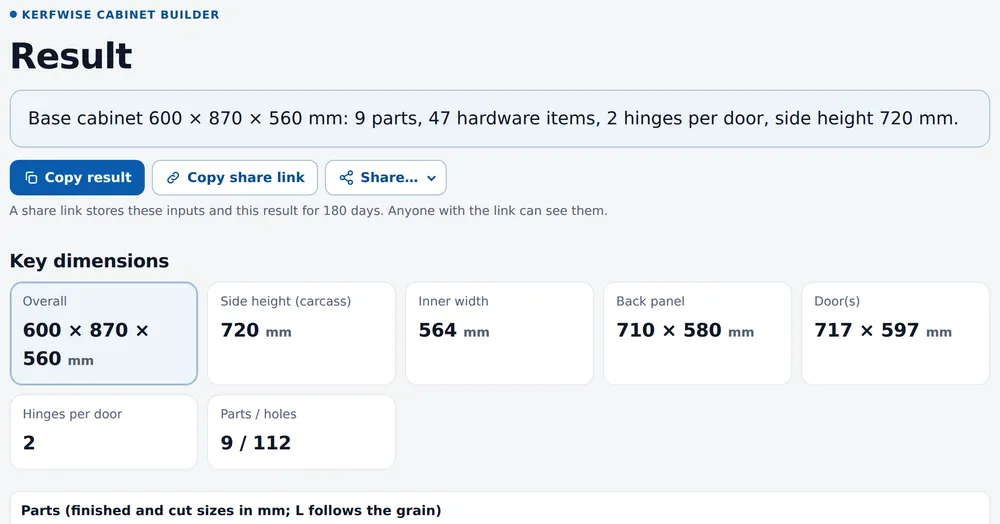
"summary": "Base cabinet 600 × 870 × 560 mm: 9 parts, 47 hardware items, 2 hinges per door, side height 720 mm.",
"result": {
"dimensions": {"sideHeight": 720, "innerWidth": 564, "innerDepth": 536, "backSize": "710 × 580", "doorSize": "717 × 597", "hingesPerDoor": 2},
"parts": [
{"label": "A7", "name": "Back panel (grooved)", "L": 710, "W": 580, "T": 8, "cutL": 710, "cutW": 580, "material": "HDF 8 mm (backs, grooved)"}
],
"totals": {"parts": 9, "holes": 112, "areaM2": 2.45, "bandingM": 6.4},
"openInApp": "https://kerfwise.usefulweb.site/app#project=eyJmb3…"
}
}openInApp 会在工作区中打开这个柜子;project 以 JSON 形式包含同一个项目。
3. 多个柜子的开料单和成本
POST /api/v1/tools/kerfwise-cut-list/calculate
Content-Type: application/json

{"cabinets":[{"type":"base","width":600,"doors":1,"shelves":1},
             {"type":"drawer","width":600,"drawers":3},
             {"type":"wall","width":800,"doors":2}],
 "currency":"EUR","labourRate":45}
{
"summary": "Cut list: 44 parts in 19 cut-list rows on 4 sheets (yield 44.1 %), 26 m edge banding — estimated total 868.78 EUR.",
"result": {
"cost": {"materials": 499, "banding": 19.05, "hardware": 164.2, "labour": 186.53, "labourMinutes": 248.7, "subtotal": 868.78, "total": 868.78, "currency": "EUR"},
"totals": {"cabinets": 3, "partRows": 19, "pieces": 44, "holes": 266, "sheets": 4, "sheetYieldPct": 44.1, "bandingM": 26}
}
}除了 cabinets 表格,你也可以在 project 中以字符串形式传入整个项目(一个 .kerfwise.json 文件——其 schema 发布在 Kerfwise 介绍页和 OpenAPI 文档中)。项目内的设置(锯缝、价格、人工)优先于表单字段。
4. 通过 MCP 实现同样的操作
{"jsonrpc":"2.0","id":1,"method":"tools/call",
 "params":{"name":"kerfwise_sheet_nesting",
   "arguments":{"parts":[{"name":"Panel","length":600,"width":500,"qty":16}],
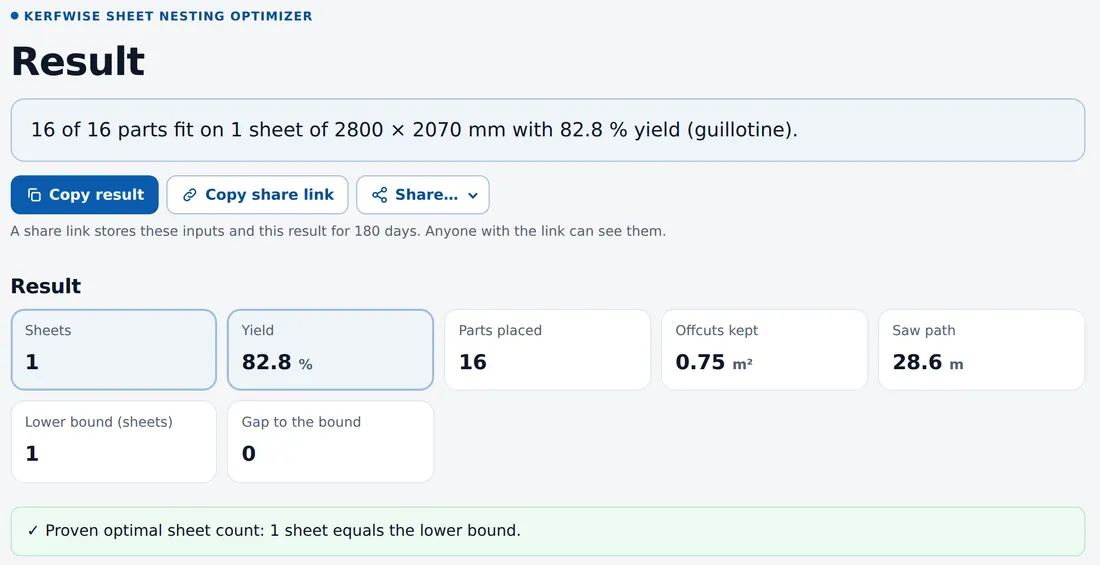
     "sheetLength":2800,"sheetWidth":2070,"kerf":4,"trim":10,"method":"guillotine","grainedMaterial":false}}}
回答的文本内容以 16 of 16 parts fit on 1 sheet of 2800 × 2070 mm with 82.8 % yield (guillotine). 开头,structuredContent 中包含与 API 相同的 result 对象。
5. 把项目交给人来处理
构建一个项目 JSON(参见项目 schema),进行 base64url 编码,然后附加到应用 URL 后面:
https://kerfwise.usefulweb.site/app#project=<base64url of the JSON>URL 片段永远不会发送到服务器;应用会解码它、打开项目,并将其从地址栏中移除。
准备好试试了吗?