Tutorial 20 of 21
Share a Kerfwise project with your team
Intermediate 6 min
Save a cabinet project to a shared workspace, invite people with roles, edit it together live, comment on cabinets and give viewers a read-only copy.
Shared workspaces let several people work on one Kerfwise project: a carpenter, the client and the person who orders the boards all see the same cabinets, cut list and costs. Saving to a workspace is optional: without an account, Kerfwise keeps working in this browser exactly as before.
Save project to a workspace
- Open or build the project you want to share.
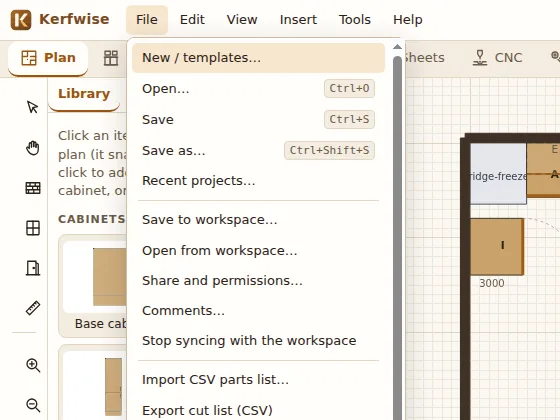
- Choose File → Save to workspace…. Sign in with a passkey or Google if you are asked to.
- Pick a workspace (or create one), check the title and choose Save.
The status chip next to the project name now shows the workspace and Saved to …. From now on every change is saved to the workspace a moment after you make it, and your copy in this browser stays as well.
Invite your team and set permissions
Choose File → Share and permissions…. You can invite people with a link, give them a role (admin, member, viewer or guest) and set rules for this one document, for example "view only" for a client. The dialog also shows a direct link to the shared project: anyone with access opens it with that link, or with File → Open from workspace….
Work together live
When a teammate saves a change, it appears in your project automatically, and the chip shows the avatars of the people who have the same project open. If you both changed it at the same time, Kerfwise asks you what to do: load their version, keep yours and overwrite theirs, or save yours as a copy.
File → Comments… lists the discussion of the project. A comment can be about the whole project or about a cabinet, wall, window or appliance: select it first, then choose it under About. Show next to a comment selects that object again.
Viewers see a read-only project
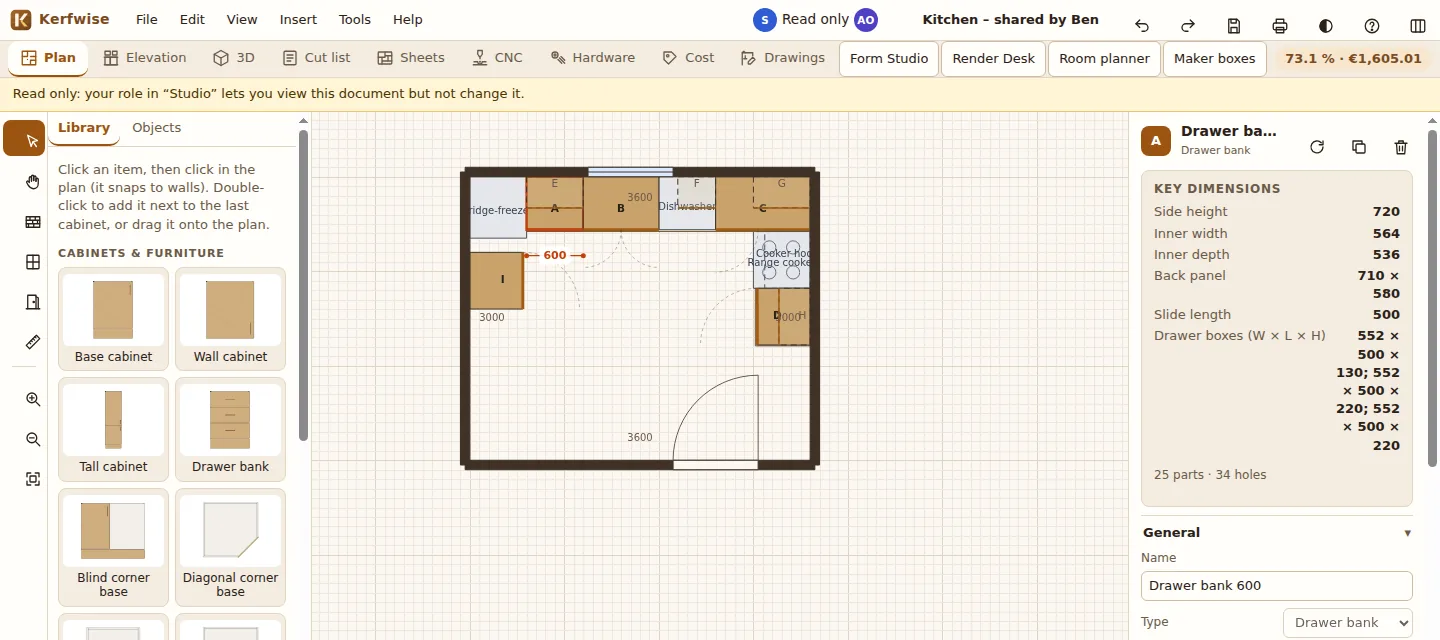
People with the viewer role (or a "view only" rule) get a yellow notice above the work area and Read only in the chip. They can switch views, open the cut list, sheets and drawings, print and export, but every edit is refused and the editing fields are switched off. A teammate's changes still arrive live.
What is shared
The whole cabinet project is one workspace document (up to 2 MB): room, cabinets, materials, settings, room planner and maker boxes. A Kerfwise project holds no photos or other media. Form Studio, Render Desk and sketch files are separate formats: save them as files.
File → Stop syncing with the workspace disconnects this browser from the shared project; your copy stays here. Opening another file or template also stops syncing, so the shared project is never overwritten by accident.
Ready to try it?