Tutorial 18 of 21
Measure by coordinates, slope and midpoint in Form Studio
Intermediate 4 min
Type exact start and end points instead of clicking, and read horizontal distance, inclination, grade and midpoint for ramps, stairs and sloped runs.
Clicking two points is quick, but sometimes you already know the coordinates: the top of a ramp from a drawing, or a point that is hidden behind another solid. Form Studio lets you type both points and adds the numbers you need for slopes. This builds on Measure points and check a mesh export.
Enter the two points
- Open Form Studio and choose Measure in 3D in the tool bar (or press M).
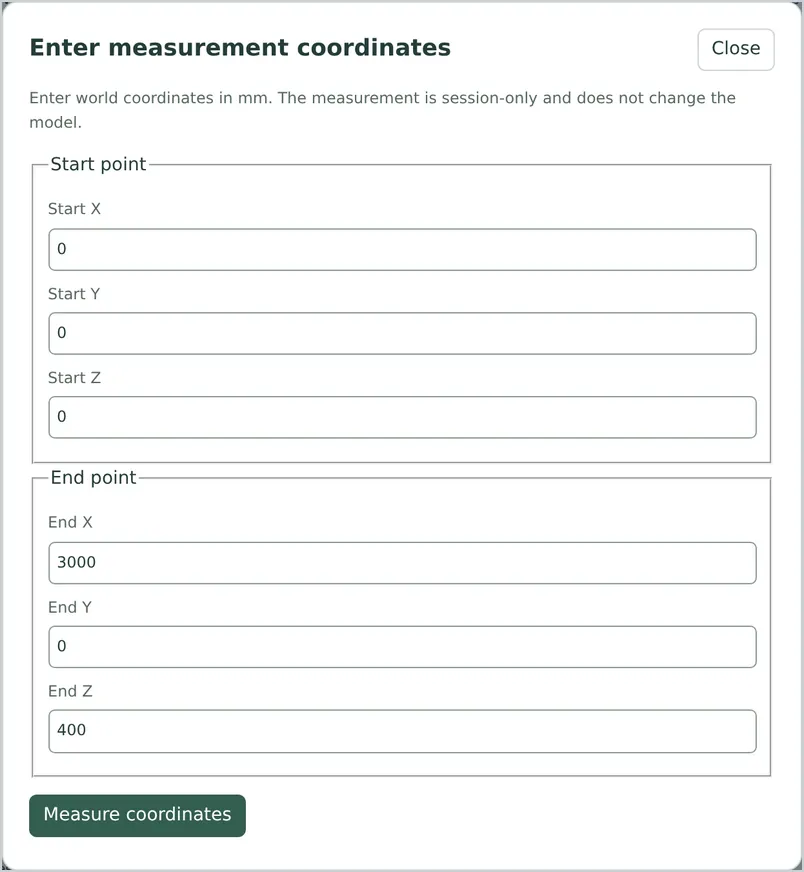
- Choose Enter measurement coordinates below the model view.
- The dialog asks for world coordinates in the units of the view bar (mm by default). Fill in Start point (Start X, Start Y, Start Z) and End point (End X, End Y, End Z).
- Choose Measure coordinates.
If a field is empty or not a number, the dialog says Enter valid coordinates for both points. and keeps your input. If you edit the model or change the units while the dialog is open, it asks you to close it and try again, so the numbers never mix two states.
Read the details
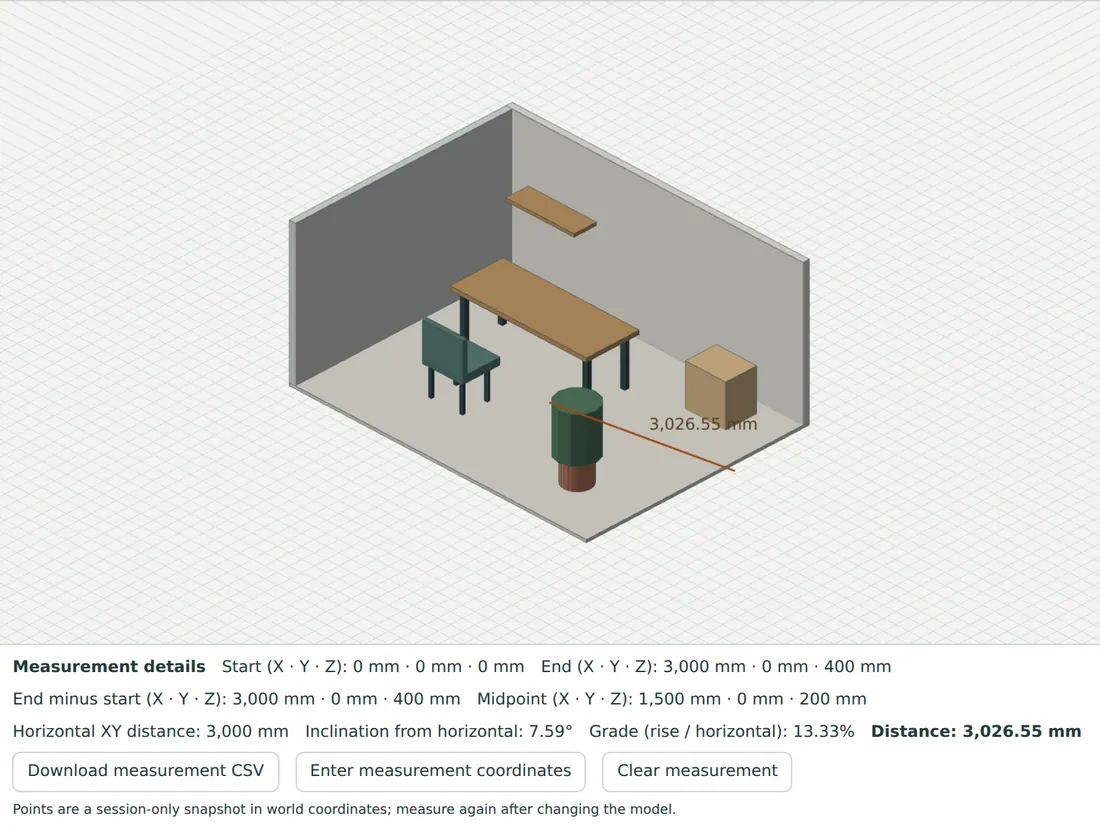
For a ramp that starts at 0 / 0 / 0 and ends 3000 mm further along X and 400 mm higher (end 3000 / 0 / 400), Measurement details shows:
- Start (X · Y · Z) 0 mm · 0 mm · 0 mm and End (X · Y · Z) 3,000 mm · 0 mm · 400 mm.
- End minus start (X · Y · Z) 3,000 mm · 0 mm · 400 mm: how far across, back and up.
- Midpoint (X · Y · Z) 1,500 mm · 0 mm · 200 mm: handy for placing a support or a label halfway.
- Horizontal XY distance 3,000 mm: the run on the plan, ignoring height.
- Inclination from horizontal 7.59°: the angle of the line.
- Grade (rise / horizontal) 13.33%: rise divided by run, the number used for ramps and paths.
- Distance 3,026.55 mm: the straight line between the points, as before.
For a vertical line the grade cannot be computed, and the panel says Grade: undefined when horizontal distance is zero. When both points are the same, the inclination is undefined as well.
Keep it honest
The measurement is session-only and does not change the model. It is a snapshot in world coordinates: if you move a solid afterwards, measure again. Download measurement CSV saves the current values, and Clear measurement removes them.
Grade and inclination describe the geometry you entered. Whether a ramp is acceptable depends on the rules where you build, so check the slope limits that apply to your project.
Ready to try it?